Configuring NDI input
In the detected NDI list you can see all available NDI sources on the local network.
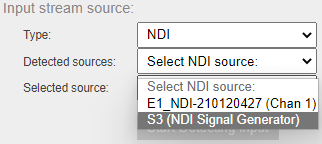
If you want to start using a listed NDI input, just select it in the list. It will be set to the Selected NDI field. In some cases, you may want to set the NDI source name manually (e.g., when it's not yet running). You can do so by filling in the Selected NDI field yourself. Please make sure the name is filled in exactly.
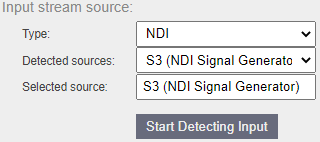
Then you can click the Start Detecting Input button to get the NDI feed configuration.