Reinstallation from the bootloader menu
This section describes functionality specific to the Twenty-One Encoder hardware appliance. Content to be reviewed with the product team before publishing.
If your server can’t boot successfully, or you forgot the UI password, you can perform a Reinstallation from the bootloader menu during boot-up. Select the “> REINSTALL LATEST” item with arrows and press Enter on your keyboard.
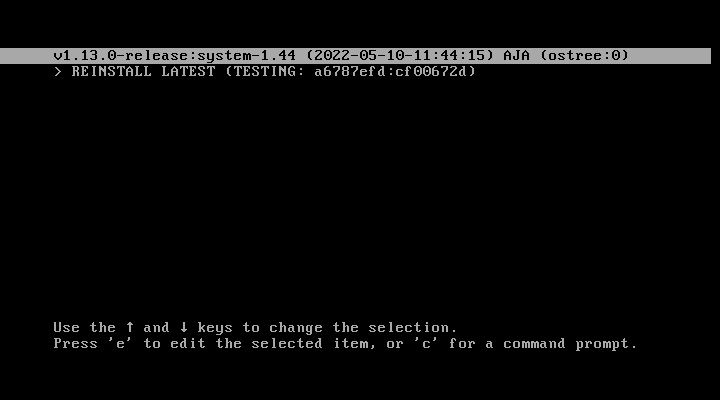
Then the server boots into a text environment where it asks for confirmation of the reinstallation process to not start it by mistake.
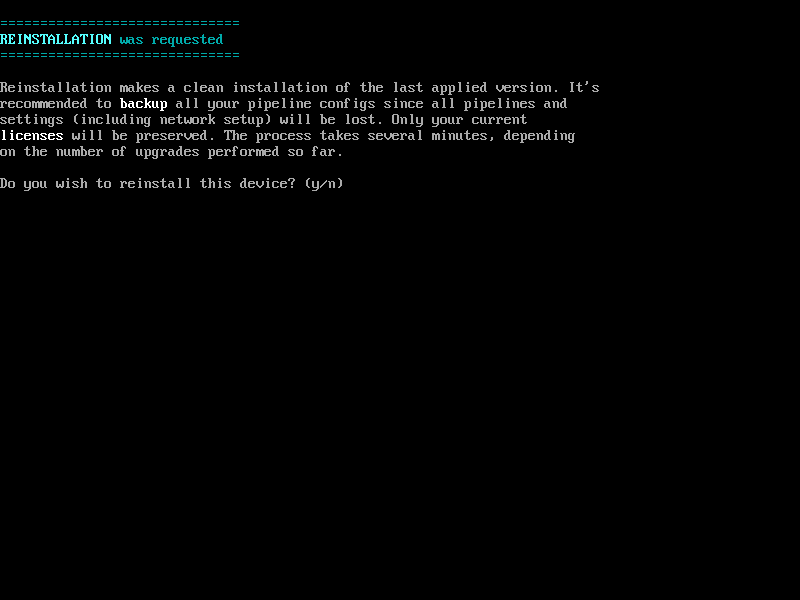
After the Reinstallation finishes, you are presented with its result, and the server reboots itself. The following boot may take longer, and the server may reboot itself several times to finish the process. Once the Reinstallation is completed, the machine will boot up normally, allowing the user to log into the UI.