Manual Low Latency Adjustments
Latency addition is the offset applied to the PTS for reliable transmission to the receiving decoder. The offset is calculated by the overall configuration of the pipeline. The latency addition field allows for the manual adjustment of this offset. This field is available on all MPEG-TS outputs within Twenty-One Encoder.
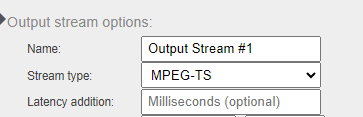
It is recommended to obtain a baseline figure before adjusting the latency addition manually using the Live Transcoder REST API:
- Use the following GET command to obtain the pipeline statistics when a pipeline is active: http://hostIPaddress/api/pipeline/0/state
- Look for the field “transcodingLatency”
- Transcoding Latency is the real time figure of the pipeline, you cannot set the latency addition lower than this.
- It is recommended to add 40-50ms+ of the transcoding latency in the Latency Addition field and restart the pipeline
- It is best to test using complex content, as this will need more time to encode. If you notice frame drop errors then the Latency Addition will need to be increased.