MPEG-TS & RTMP Destinations
Twenty-One Encoder allows for dynamic modification of destinations for MPEG-TS & RTMP output streams without requiring a pipeline restart. This capability ensures that changes can be made to one destination without affecting others that are currently active.
Viewing Current Stream Destinations
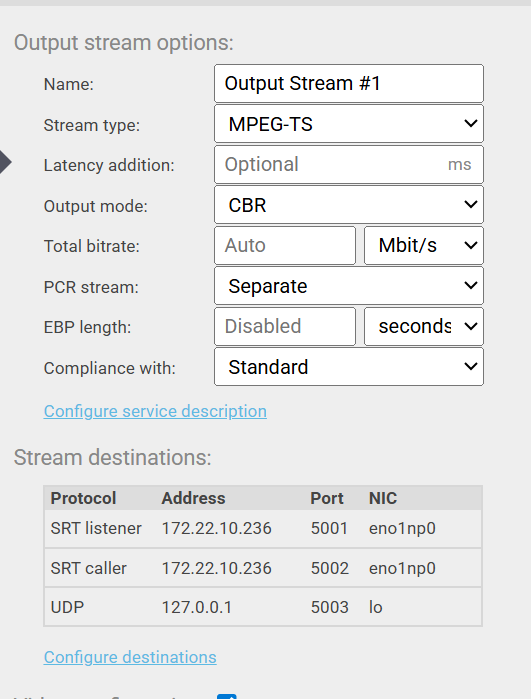
You can view the list of currently configured destinations on the main Output stream options page.
- The destinations are listed in a table under the Stream destinations heading (Figure 39).
- To modify these destinations, click the Configure destinations link, which will open the destination editing dialog window
Modifying Stream Destinations at Runtime
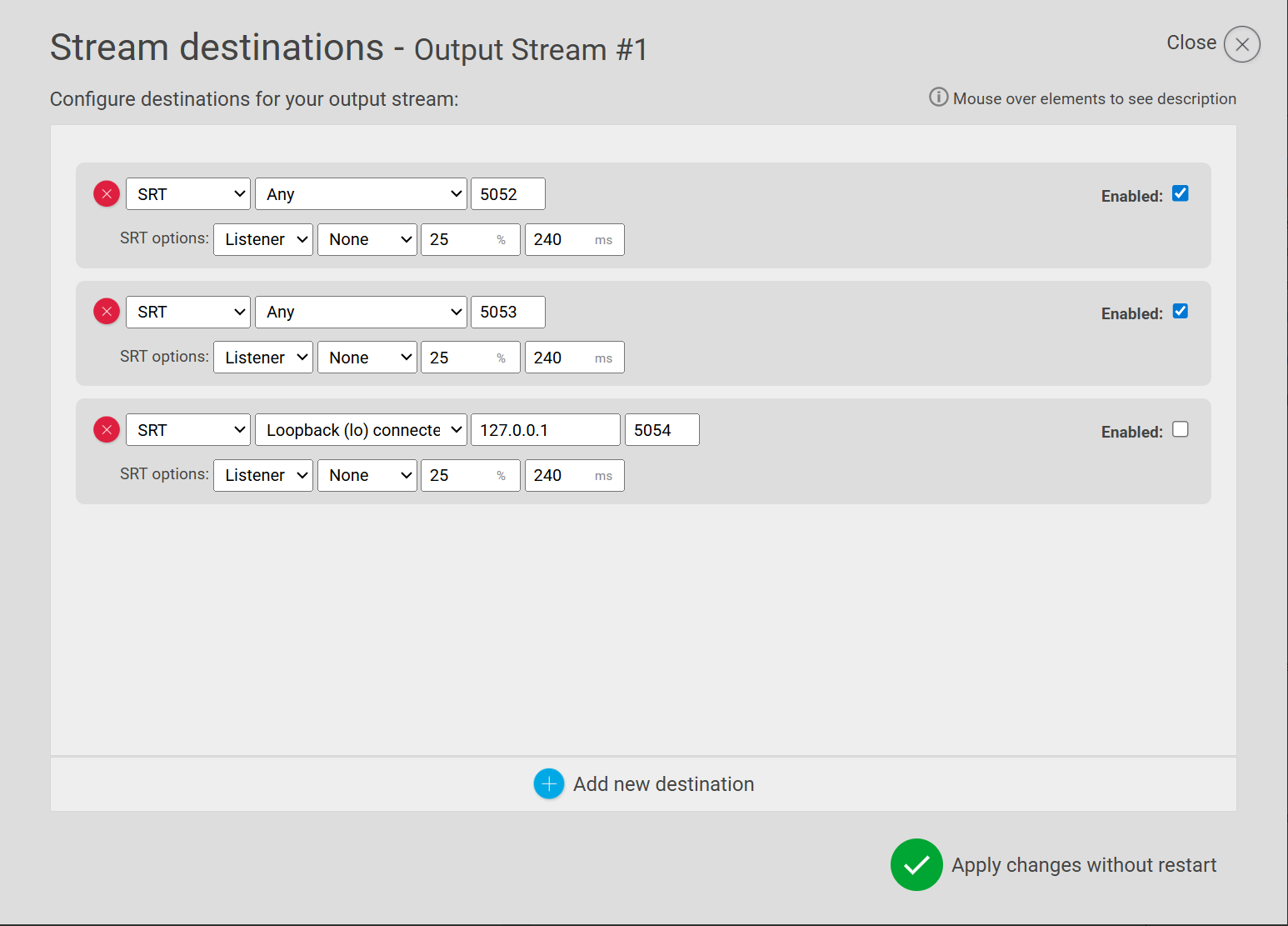
The Stream destinations dialog window allows you to configure how the MPEG-TS output is routed (Figure 40).
- In this dialog, you can make changes such as adding, removing, changing, disabling, or enabling individual destinations.
Applying Changes
When the new destination configuration can be applied without interrupting the pipeline, the confirmation button at the bottom of the dialog will read Apply changes without restart (Figure 41).
- Review all desired changes within the Stream destinations dialog window.
- Click the Apply changes without restart button.
- The system will apply the changes immediately. Processing and streaming to any destinations that were not modified will continue uninterrupted.