MPEG-TS Video passthrough
Live Transcoder has the ability to pass through MPEG-TS without decoding or encoding the video. This is known as video pass through. This is useful for operators that wish to re-encapsulate to/from SRT/UDP/RTP or use Live Transcoder as a one to many device, somewhat like a video IP router.
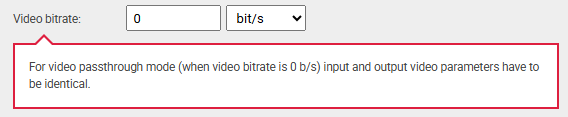
To configure video passthrough, select “Start Detecting Input”, Twenty-One Encoder will detect what the incoming streams video parameters are. Then select “Set As Input” under the Auto Detected Video Streams. Now when an output stream is created, the video settings will be applied automatically. These will need to be the same as the input to allow for video passthrough. To finish the configuration apply a video bitrate of 0 under the output video configuration settings, and input a total bitrate for the transport stream under the output stream options.
If the output settings for the video are not the same, the following warning will be seen:
Multiple destinations can be configured to allow a one to many use case. Transport stream encapsulation can also be changed.