RTMP
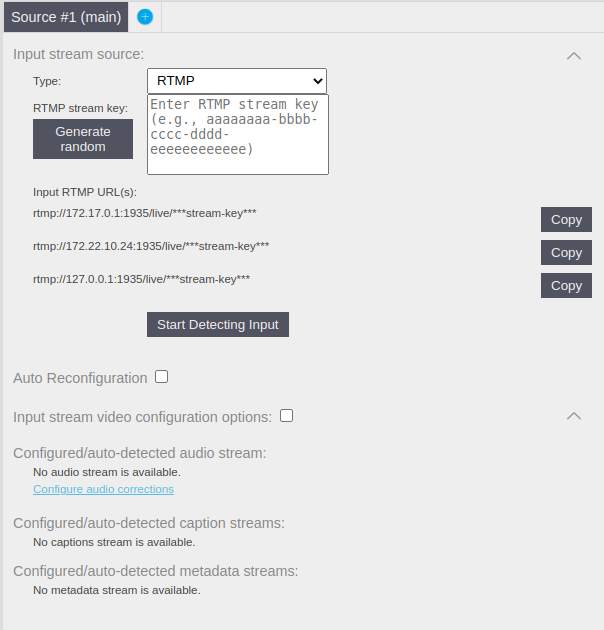
The Twenty-One Encoder supports RTMP streams on input, with a user-provided or generated stream key. RTMPS is not supported yet. The RTMP input listens on port 1935 which is the standard port for RTMP protocol.
To generate the stream, click on the Generate random button to generate a unique stream key. If you prefer, you can manually enter a stream key of your choice. Simply type the desired stream key into the provided input field. Once you have either generated a stream key or entered one manually, it’s essential to copy the RTMP URL to your source device. Twenty-One Encoder generates URLs for every network interface it has.
When the stream key is set the button Start Detecting Input can be clicked to trigger an input stream detection and get video and audio parameters.
The RTMP pipeline supports Auto reconfiguration, allowing for seamless updates to the video and audio input parameters during runtime. This feature ensures continuous processing of the live stream while accommodating changes to the configuration. It can be turned on by checking the Auto Reconfiguration check box and restarting the pipeline