Configuring RTMP(S) output
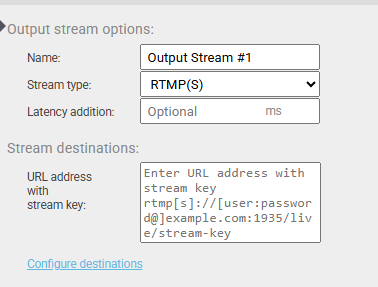
To set up an RTMP(S) output stream, the first thing you need to do is to select Output stream options, Stream type as RTMP(S) and just beneath it, fill out the URL address (example of a URL of a stream with authentication: rtmp://user:pass@IPADDRESS/application/stream-key). If you have provided a valid URL, Twenty-one encoder will produce an output stream upon starting the configured pipeline using RTMP(S).
If you want to use a hostname instead of an IP address in the URL, you need to set an appropriate DNS server and if it’s in the external network, the set Default route needs to have access to the Internet (both can be done in the Setup, more about that in the section 2.1).