Configuring PTP
SMPTE-2110 needs system time to be precisely synchronized over the network. The PTP time synchronization protocol does this. Time is obtained from master clocks on the network. NTP is disabled to avoid clashes with PTP.
In Twenty-one Encoder, PTP works only through the network interfaces with 25G SFP28 ports (usually named enp1s0f0np0 and enp1s0f1np1), not the 10G Ethernet ports.
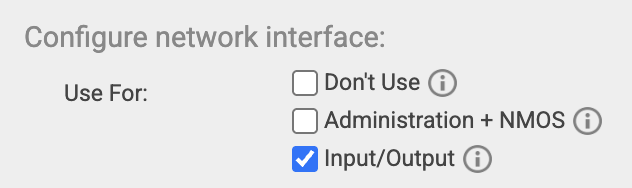
The network interface needs to be configured as Input/Output in UI / Setup to allow PTP through the firewall.
Currently, it's not possible to choose Grandmaster manually. Twenty-One Encoder regularly checks for Grandmaster on both SFP28 NICs, and selects it automatically using the Best master clock algorithm (BMCA).
PTP Configuration
To configure PTP, go to UI / Setup / PTP configuration page.
Statuses explained
You can check the state on UI / Setup / ST 2110 configuration page, on UI / Setup / System information page and also at the Dashboard.



- PTP Synchronization:
- OK
- means synchronization is running and the Grandmaster is present
- PTP-wise, SMPTE-2110 is ready to be used
- Synchronization is running, but Grandmaster is not present
- All PTP synchronization services are running as configured, but we can't find any Grandmaster
- If it happens shortly after submitting PTP configuration, try refreshing the page after a few seconds.
- Double-check your configuration and try the Troubleshooting steps
- Error
- An internal error occurred. We'd like to hear about it to fix the problem. Please Go to UI / Setup / Diagnostics & Support and send us the Diagnostic package. Rebooting the device should fix the problem.
- It's possible that Grandmaster is present in this state but we don’t recommend using Twenty-one encoder in this state.
- OK
- PTP Grandmaster:
- Not present
- Time isn’t synchronized, so SMPTE-2110 streams won't work correctly
- 24-8a-07-ff-fe-e9-09-80 on interface enp1s0f0np0 (192.168.20.159)
- 24-8a-07-ff-fe-e9-09-80 - ID of the currently selected Grandmaster
- enp1s0f0np0 (192.168.20.159) - network interface name and its IP address on Twenty-one Encoder that leads to the currently selected Grandmaster
- Not present
- PTP Domain:
- 0-127
- Your currently configured domain number
- N/A (not available) means we can't show you the domain right now
- 0-127
Configuration fields explained
PTP Domain: A domain consists of one or more PTP devices communicating with each other as defined by the protocol. The domain is identified by an integer, the domain number, in the configurable range of 0 to 127. The default 2110 PTP domain is 127.
Announce Interval: The mean time interval between Announce messages. A shorter interval makes PTP react faster to the changes in the master-slave hierarchy. The interval should be the same in the whole domain. It's specified as a power of two in seconds. The default is 0 (1 second).
Sync Interval: The mean time interval between Sync messages. A shorter interval may improve the accuracy of the local clock. It's specified as a power of two in seconds. The default is -3 (125 milliseconds).
Announce Receipt Timeout: The number of missed Announce messages before the last Announce message expires. The default value is 3.
Hybrid E2E: When enabled, ports in the client state send their delay request messages to the unicast address taken from the server's announce message. Ports in the server state will reply to unicast delay requests using unicast delay responses. The default is disabled.
Troubleshooting Guide
Follow these steps to resolve PTP issues:
- Verify the configuration is correct
- Verify your domain number matches the PTP source device's domain number
- Check PTP Network Interface Card (NIC):
- Ensure it's running with a valid IP address on the UI / Setup / System Information page
- Ensure it’s configured as Input/Output in UI / Setup
- Ensure the PTP network uses the 25G SFP28 ports, not 10G Ethernet ports
- If Hybrid E2E is enabled, try disabling it, as your GM device may not support it.
- Reapply configuration
- Re-submit the current PTP configuration (submitting restarts PTP services)
- Reset to the default PTP configuration (hover with mouse over ⓘ to get default values)
- If all else fails, reboot the machine to restart all PTP-related services